Protect your Children and if the Unthinkable Happens... Facilitate your Child's Rescue
- WHAT TO DO IF YOUR CHILD IS LOST OR ABDUCTED
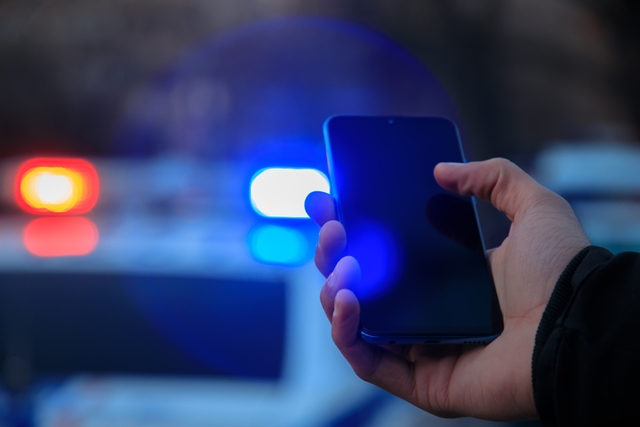
- Contact Law Enforcement by dialing 911. Inform them of your situation and let them know you have a digital ID Kit with your child’s picture and their information. Ask them if you should text or email it to them.
- Go to that child’s information under My Children’s Page and click on the Flier Icon underneath that child’s info. Add your child’s name and information such as what they are wearing, where last seen etc.
- Once this is done click on the Green Flier Icon and then choose Text, Email, Share to Facebook or Print. (You can always come back and choose the other options after its first sent to Law Enforcement). Make sure that you give law enforcement your unique child identifier which is listed on the flier once generated. If you choose text , you will receive a text message with the link to the flier. Once you have received the link , forward this link to anyone you may want to share with including 911.
- If you’re at an amusement park, state or national park quickly find their security or park rangers and text the Flier to them so their entire team can BOLO for you’re child.
- HOW IT WORKS

At God’s Child ID we have strived to make everything simple and easy. This includes signing up to become a member, adding information about your children and being able to quickly share that information to Law Enforcement etc. Below are the steps you will need to take to get started.
- Register for a new account on our signup page.
- Once you have logged in, you will be directed to the settings page where you will be directed to enter your access code. Enter your access code and click save. If your code is entered correctly , you will be granted full access. You may need to refresh your screen for changes to take effect.
- Setup two factor authentication to enable additional security measures via email or text keeping your childrens information safe and secure.
- You will receive an email from God’s Child ID three times a year reminding you to update your children’s information.
- WHAT TO DO IF YOUR CHILD IS LOST OR ABDUCTED
- Contact Law Enforcement by dialing 911. Inform them of your situation and let them know you have a digital ID Kit with your child’s picture and their information. Ask them if you should text or email it to them.
- Go to that child’s information under My Children’s Page and click on the Flier Icon underneath that child’s info. Add your child’s name and information such as what they are wearing, where last seen etc.
- Once this is done click on the Green Flier Icon and then choose Text, Email, Share to Facebook or Print. (You can always come back and choose the other options after its first sent to Law Enforcement). Make sure that you give law enforcement your unique child identifier which is listed on the flier once generated. If you choose text , you will receive a text message with the link to the flier. Once you have received the link , forward this link to anyone you may want to share with including 911.
- If you’re at an amusement park, state or national park quickly find their security or park rangers and text the Flier to them so their entire team can BOLO for you’re child.
x x
x
x